Close
Polaris Design System shown on a MacBook
Polaris Design System

Building a scalable, accessible foundation for Lexmark's Cloud Services

The Challenge

As Lexmark's software portfolio expanded, our legacy design system couldn't keep up. We were facing "design debt" on three fronts:

  1. Fragmentation: Our cloud software felt like a visual outlier compared to our newer hardware-adjacent products.
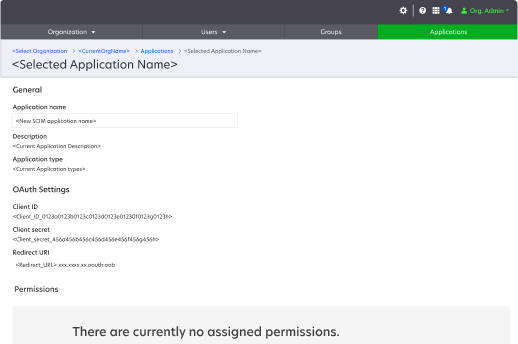
  2. Accessibility Gaps: A decade-old Angular codebase was riddled with critical accessibility issues that no longer met modern standards.
  3. Process Friction: Designers were working in silos using Adobe XD and tracking documentation in cumbersome Word documents. This "broken telephone" between design and engineering slowed down every release.
The Solution

We created Polaris: a robust, WCAG-compliant design system. It isn't just a UI kit; it's a single source of truth that bridged the gap between legacy reliability and modern interaction design.

The Full Story

1

Aligning the visual direction

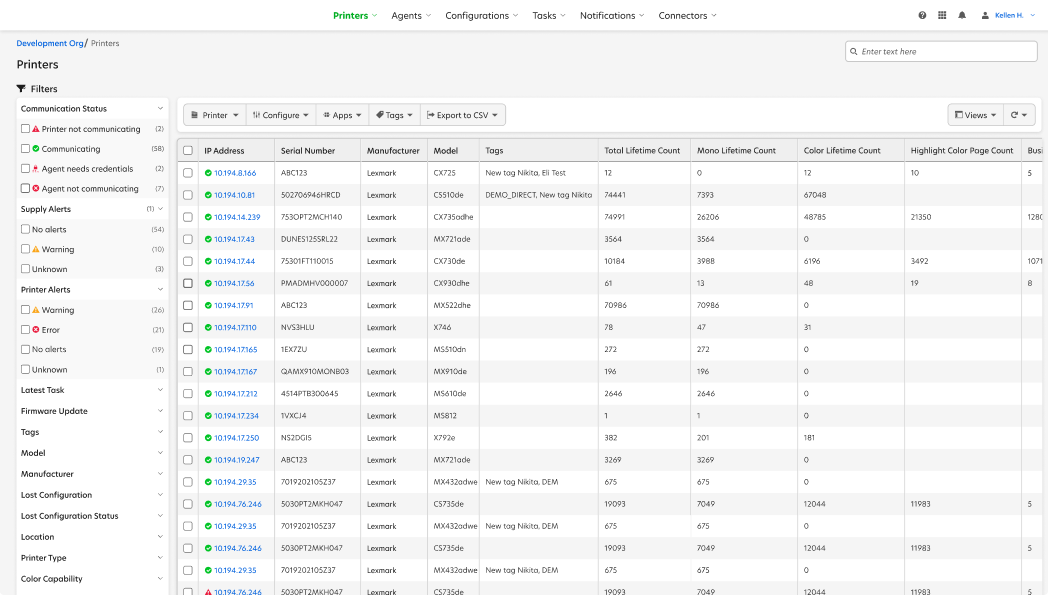
I met with designers across every business unit to find the common denominator. We needed to align the "old" cloud software with the "new" visual direction set by our the new adjacent more modern software products. This wasn't just about a fresh coat of paint; it was about creating a unified language.

Optra

Optra software interface example

Cloud Software - OLD

Cloud UI Classic - old cloud software interface

Cloud Software - NEW

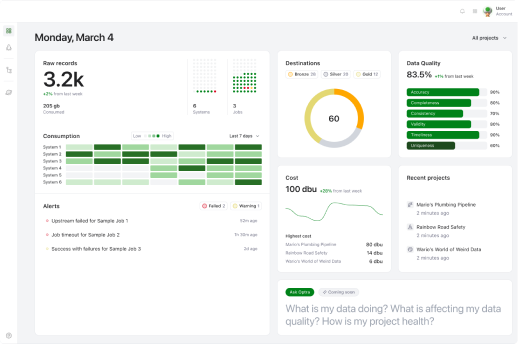
Cloud software redesigned with Polaris design system
2

Solving for "The Scroll"

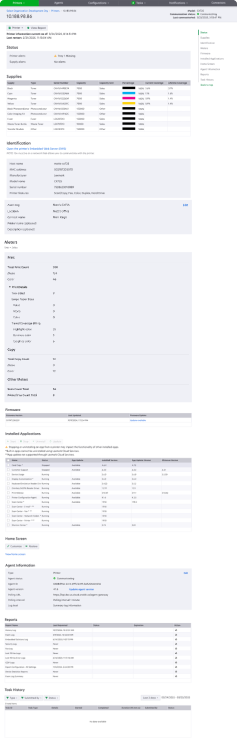
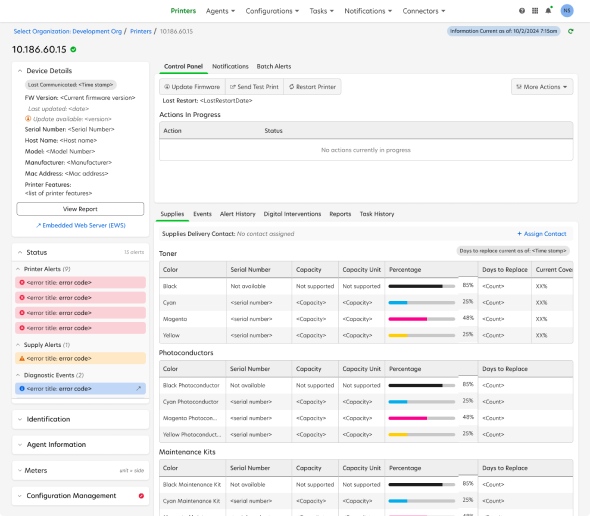
Our legacy system forced users into one-dimensional, long vertical layouts. This relied heavily on user recall rather than recognition. I introduced Bento Box patterns — a card-centric style that utilizes horizontal space. This layout shift allowed users to see high-level data at a glance, significantly reducing cognitive load and unnecessary scrolling.

Cloud Printer Details - OLD

Old printer details - long vertical scroll

Cloud Printer Details - NEW

New printer details with Bento Box layout

" It's easier to navigate. You have more control in seeing what you are about. Not stuff you have to scroll past to get to what you want. All that acts as a barrier"

Customer Quote

3

Accessibility by Design

Accessibility isn't a checkbox; it's a requirement. To lead this, I became W3C certified in software accessibility. With the help of the development team we audited our Angular components, identifying where the code was failing our users. By baking accessibility into the Polaris components from day one, we ensured that every future feature built with the system would be inclusive by default.

Components don't support zoom

  • Reflow 1.4.10
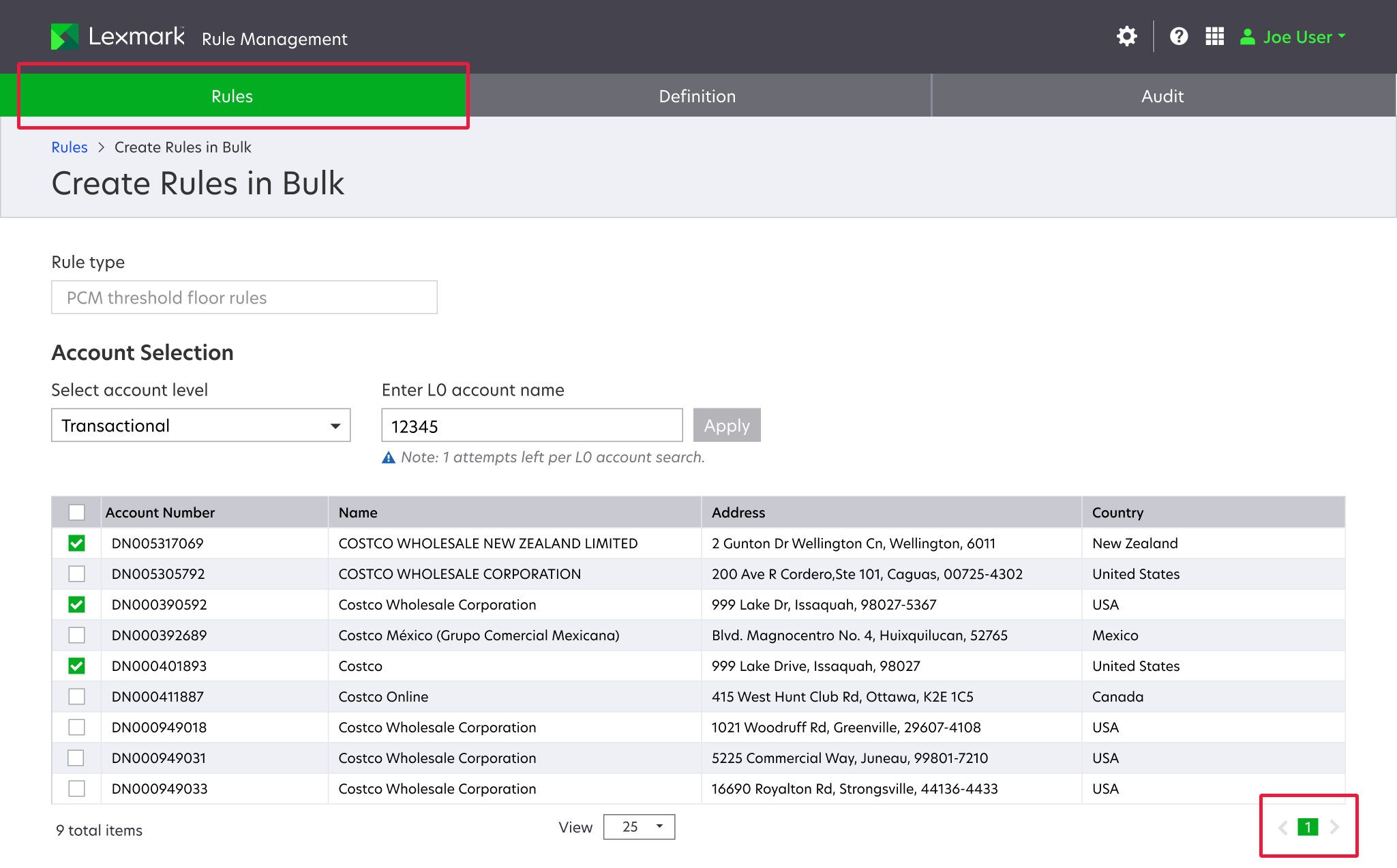
Accessibility failure backlog example
Accessibility audit of Rules Management showing failures

Lack of landmarks & tabbing order

  • Logical order (2.4.3)
  • Focus order (2.4.3)
  • No Keyboard Trap 2.1.2

Inaccessible colors

Contrast (Minimum) 1.4.3 failures

Contrast 3:1 ✗ AA = 4.5:1
4

The Great Migration: From Word Docs to Figma

The most significant shift was moving the team from Adobe XD and Word docs to a centralized Figma library. I led this transition by:

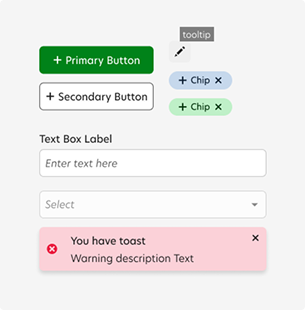
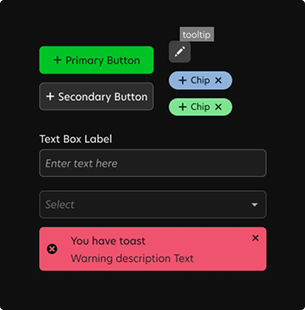
  • Building the Engine: Developing a robust variable library that included native dark mode support.
  • Scalability: Expanding our web library to include comprehensive mobile versions.
  • Leadership: I developed and taught a custom curriculum to ensure the design team didn't just have the new tools, but knew how to use them effectively.
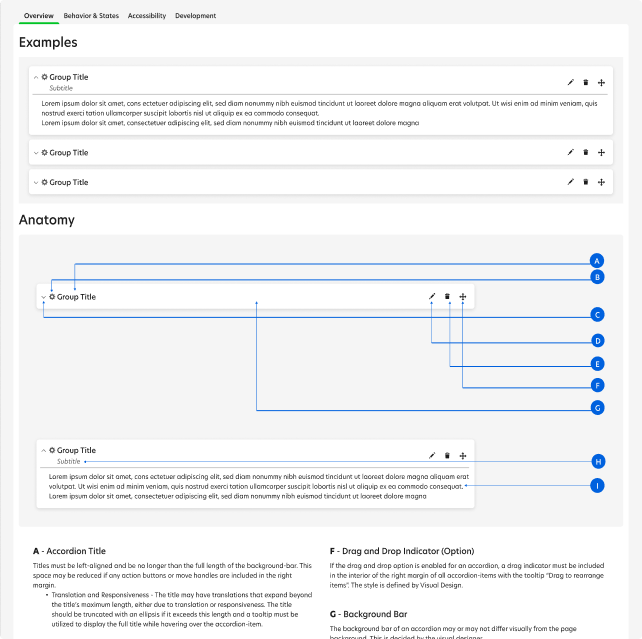
Polaris Figma component library documentation
Light mode component example Dark mode component example

The Result

Modernizing our foundation transformed our workflow from the inside out.

For Designers & Devs

Built-in prototyping and drag-and-drop components eliminated the need for "redlining." Developers can now inspect Figma for exact specs, cutting down on back-and-forth handovers.

For the Business

We accelerated development cycles and eliminated visual inconsistencies, finally matching Lexmark's software quality to the future direction of the company.

For Users

A cohesive, intuitive interface that feels modern, accessible, and easy to navigate.

What I learned

Design is (partly) subjective

Aligning 20 designers is like herding cats. I learned that while data drives decisions, leadership requires the confidence to make a call on a style and move the team forward.

Components are the front line of accessibility

One broken component can cause 1,000 errors across an app. By fixing the root, we fixed the ecosystem.

Change is hard

Moving a whole team to new tools and styles is a human challenge, not a technical one. Everyone learns at a different pace, and as a lead, my job was as much about encouragement as it was about architecture.

The End

Close Next Project